Assets: Bulk Importing Assets (Administrator)
1. Overview
The Asset Safety Management module allows for users to record and report on inspections, condition and maintenance of all plant, machinery, vehicles and safety equipment. Each asset can be recorded in the relevant register, with its current condition, responsible staff member and records of inspection and maintenance.
When it comes to add assets into your register
Creating new assets into your account can be completed in one of two ways;
- Importing your Assets
- Manually Adding assets into register.
2. Who is this for?
- Administrators
- Asset Managers
3. Prerequisites
- Active account and login credentials
- Access to Setup workspace
- Access to Asset registers with ability to add new
4. Step-by-step instructions
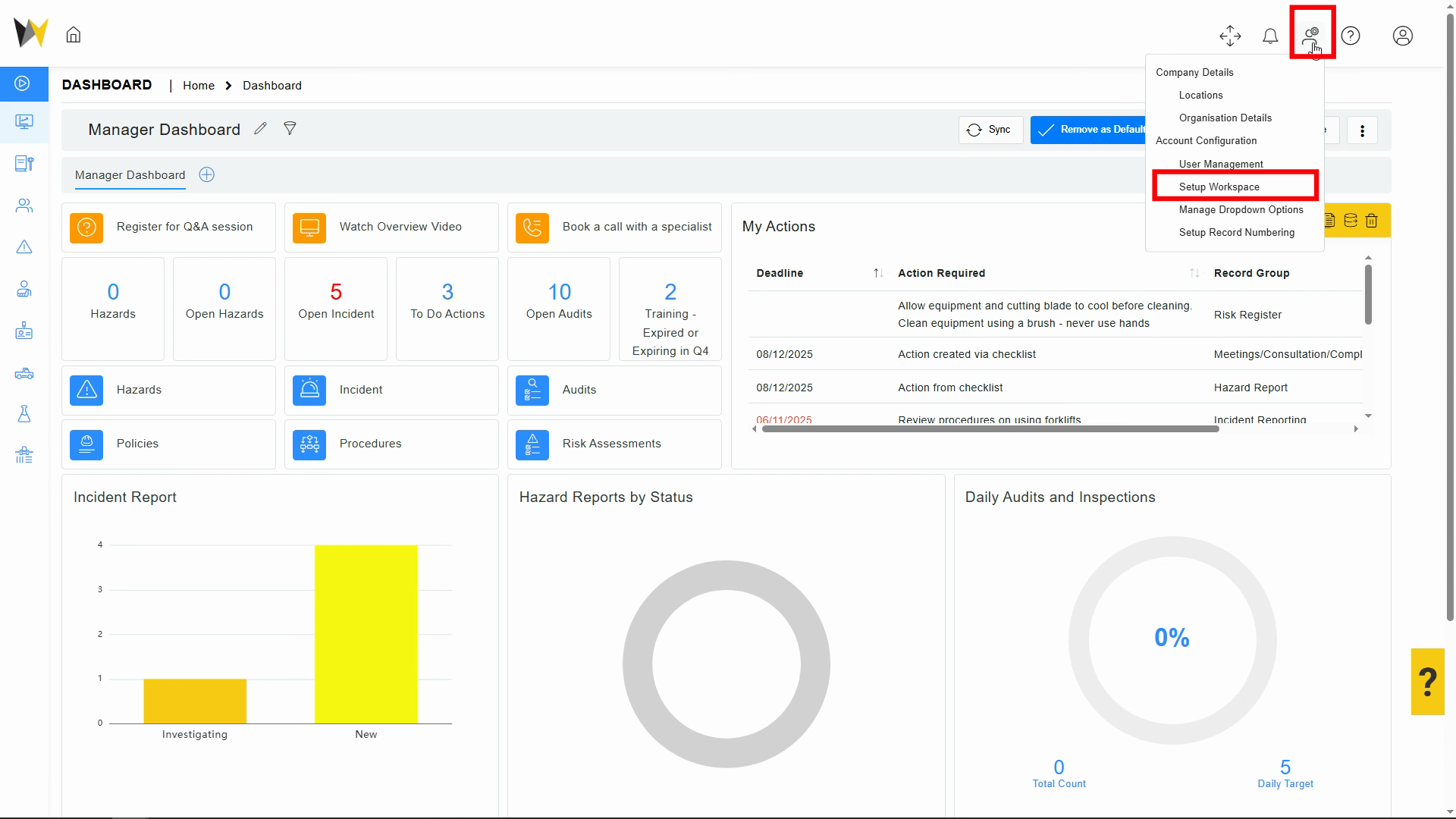
Step 2: Choose Setup Workspace.
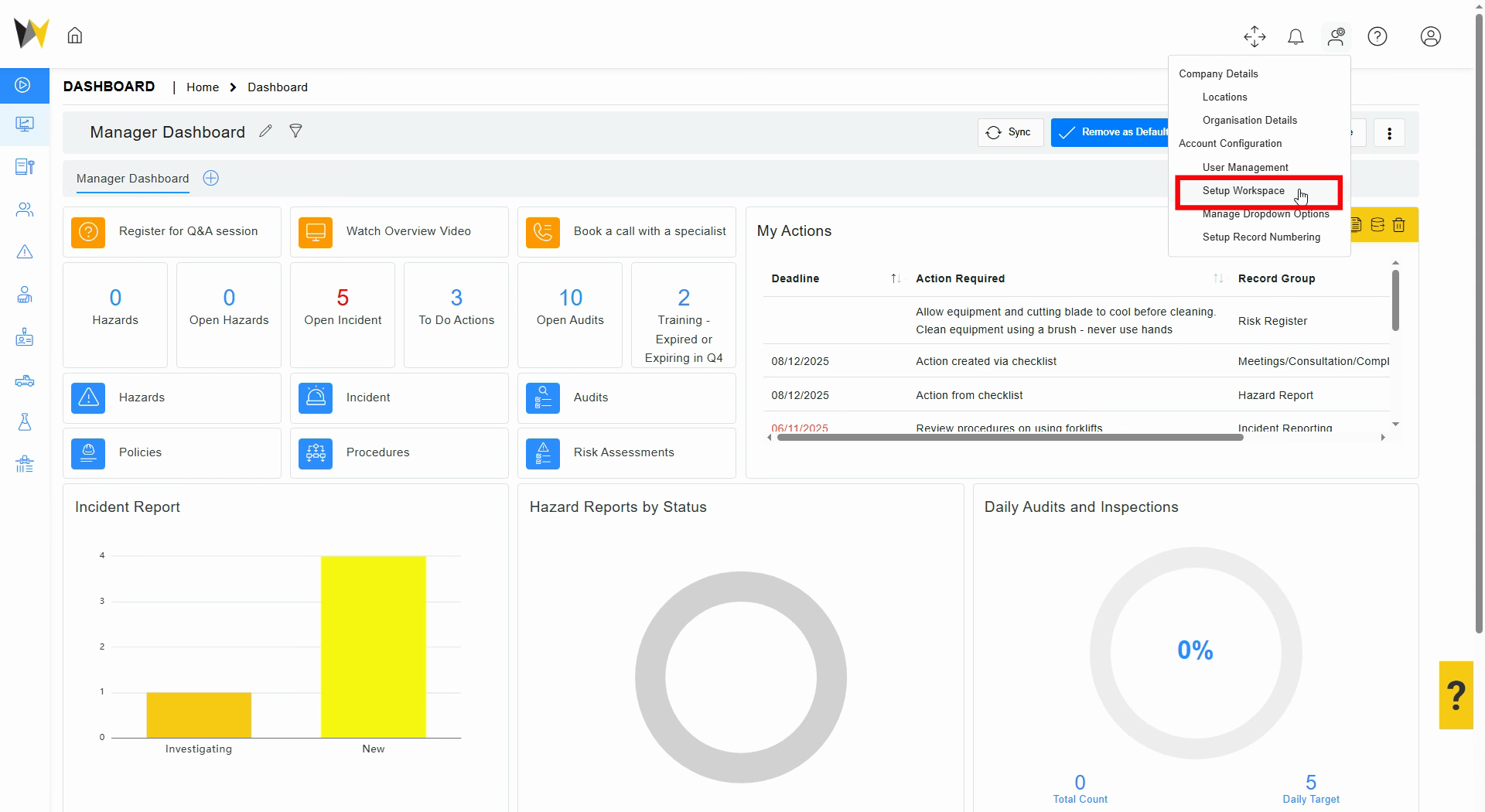
Step 3: Access the settings icon for the asset register.
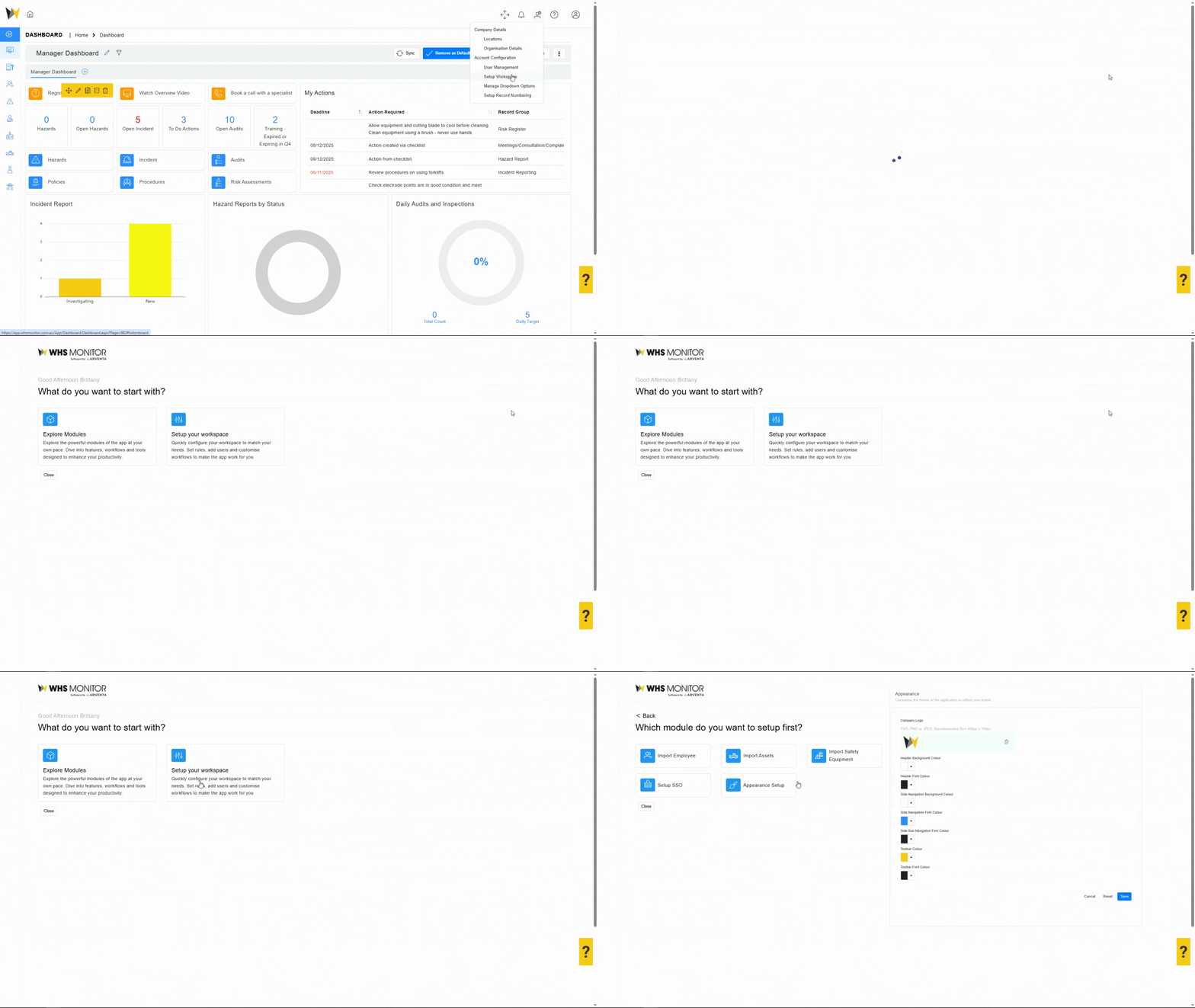
Step 4: Initiate the asset import process by clicking Import Assets.
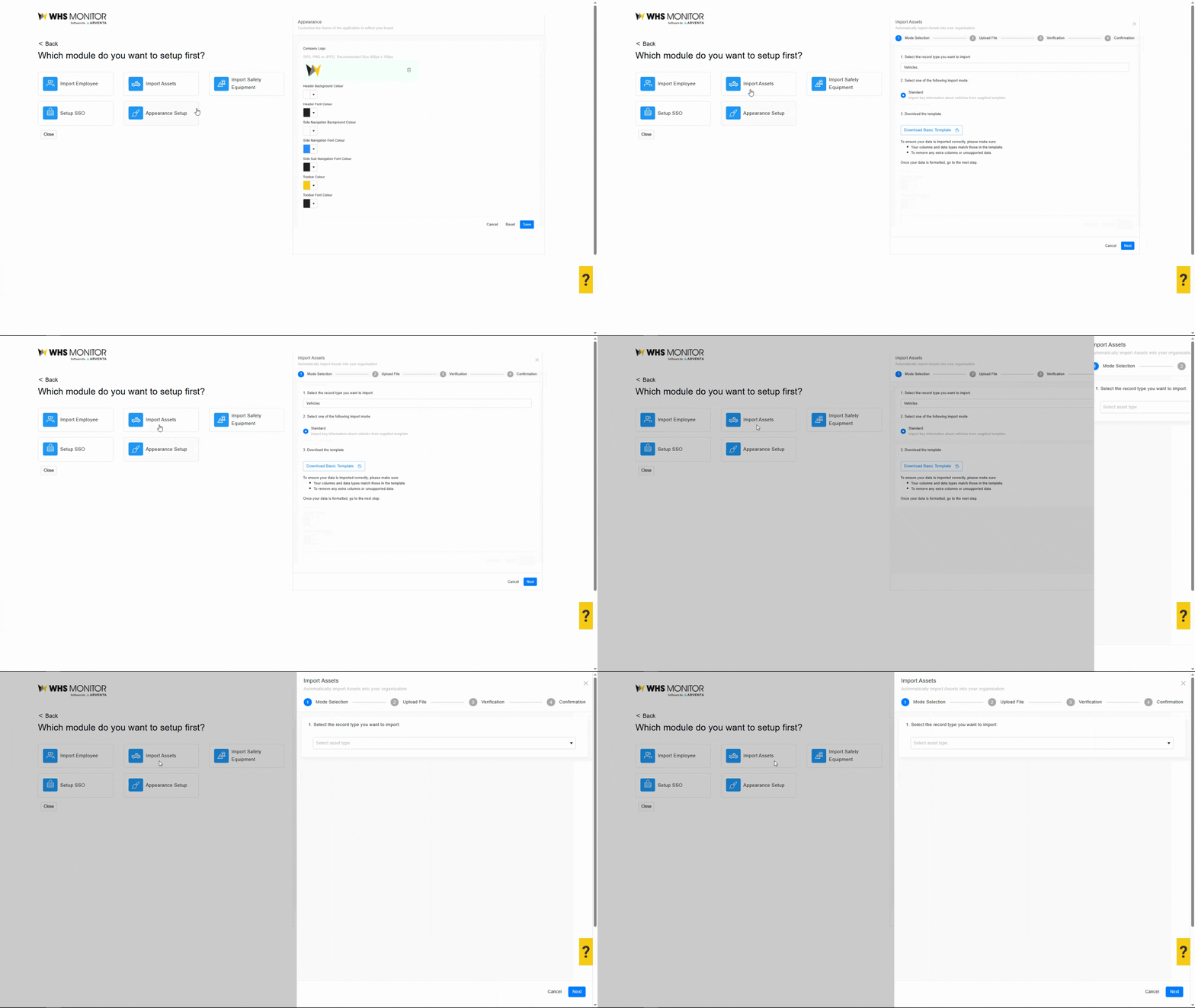
Step 5: Within the import panel, select the appropriate asset register.
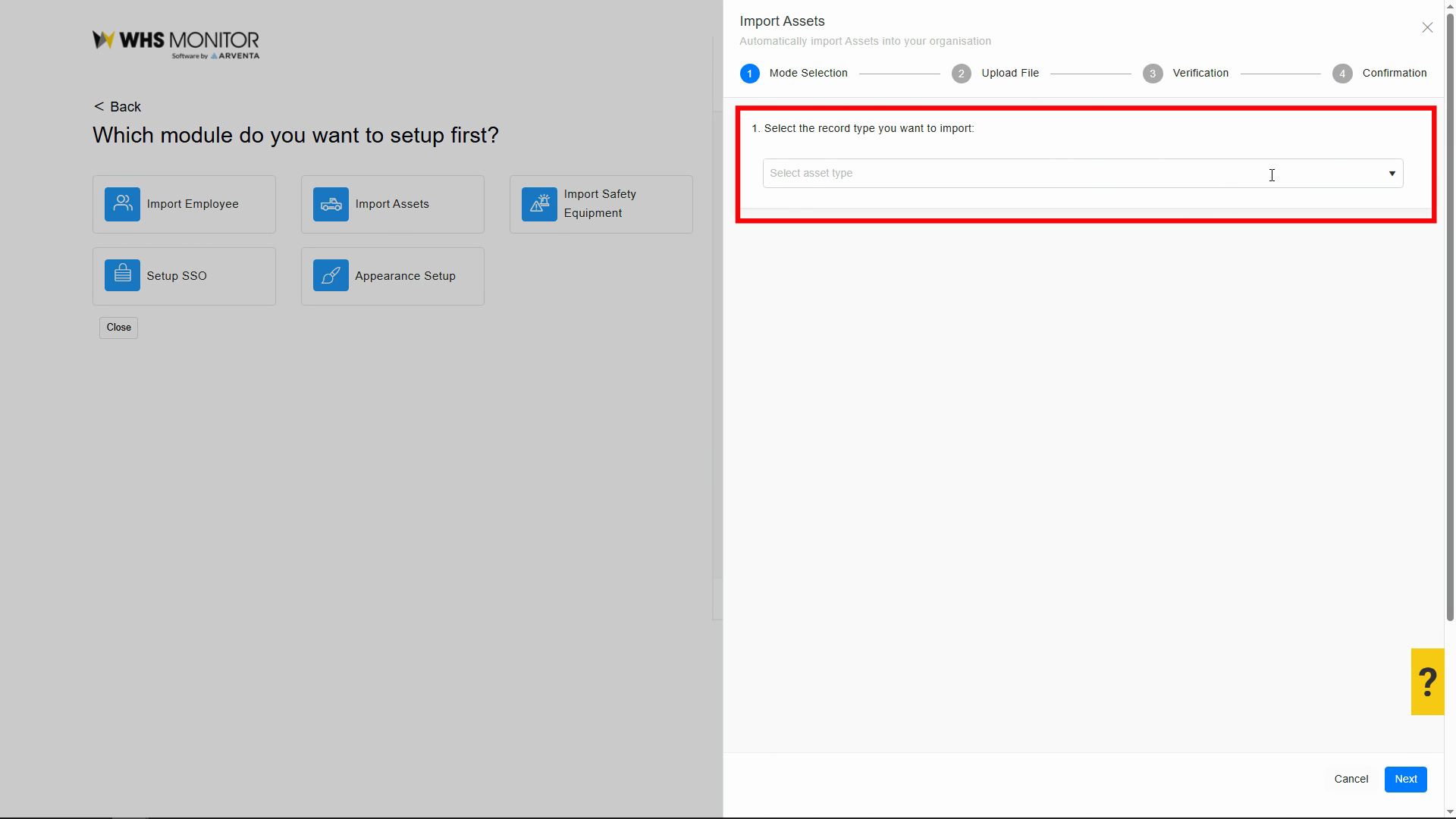
Step 6: Download and complete the standard template spreadsheet, ensuring all required fields (Asset ID, Name, Type) are recorded and additional details are included as needed.
Step 7: Upload the completed file, reviewing the previewed data for accuracy.
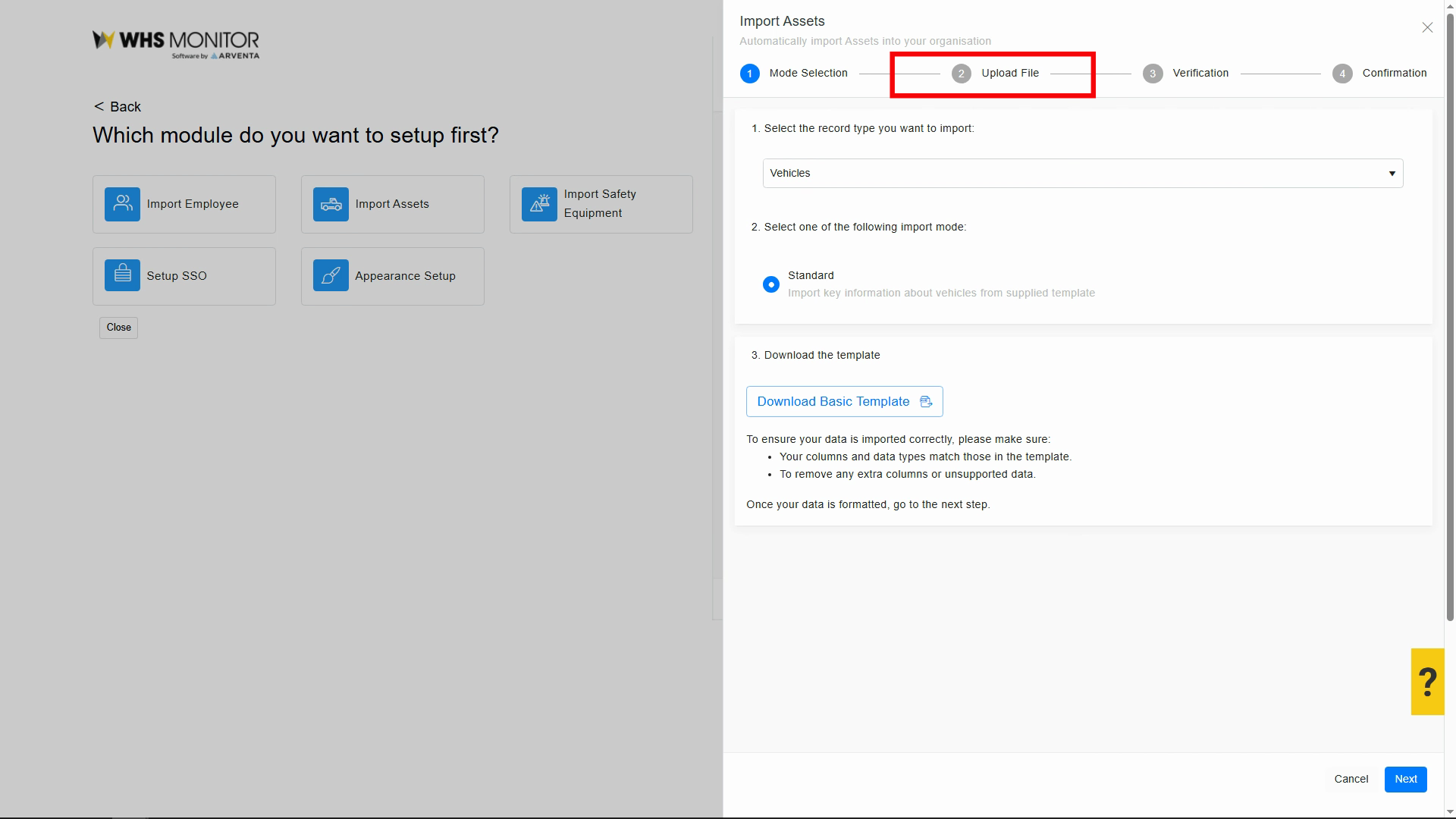
The asset records are now available in the register.
5. Expected Results
- Bulk Import of Assets into relevant asset register
- Ability to see Assets for relevant asset register
- Ability to edit and update asset record within your account
6. Related Articles and Resources
7. Troubleshooting & FAQs
| Issue | Cause | Solution |
Related Articles
Assets: Viewing and Managing Asset Records
1. Overview This Article guides you on how to; Access Asset registers View Asset records Edit and Update Asset records 2. Who is this for? Administrators Managers Supervisors Employees 3. Prerequisites Active account and login credentials Access to ...Asset Notifications
1. Overview This article explains how to manage notifications using the Notifications page in WHS Monitor. It covers how to monitor alert types, understand end-of-day summaries, and ensure important compliance milestones are not missed. Notifications ...