Assets: Viewing and Managing Asset Records
1. Overview
This Article guides you on how to;
- Access Asset registers
- View Asset records
- Edit and Update Asset records
2. Who is this for?
- Administrators
- Managers
- Supervisors
- Employees
3. Prerequisites
- Active account and login credentials
- Access to Asset registers with ability to add new
- Access to Assert register with the ability to Edit
4. Step-by-step instructions
Access: Navigate to the Asset safety and select the applicable Asset or Safety register you want to add the new asset to
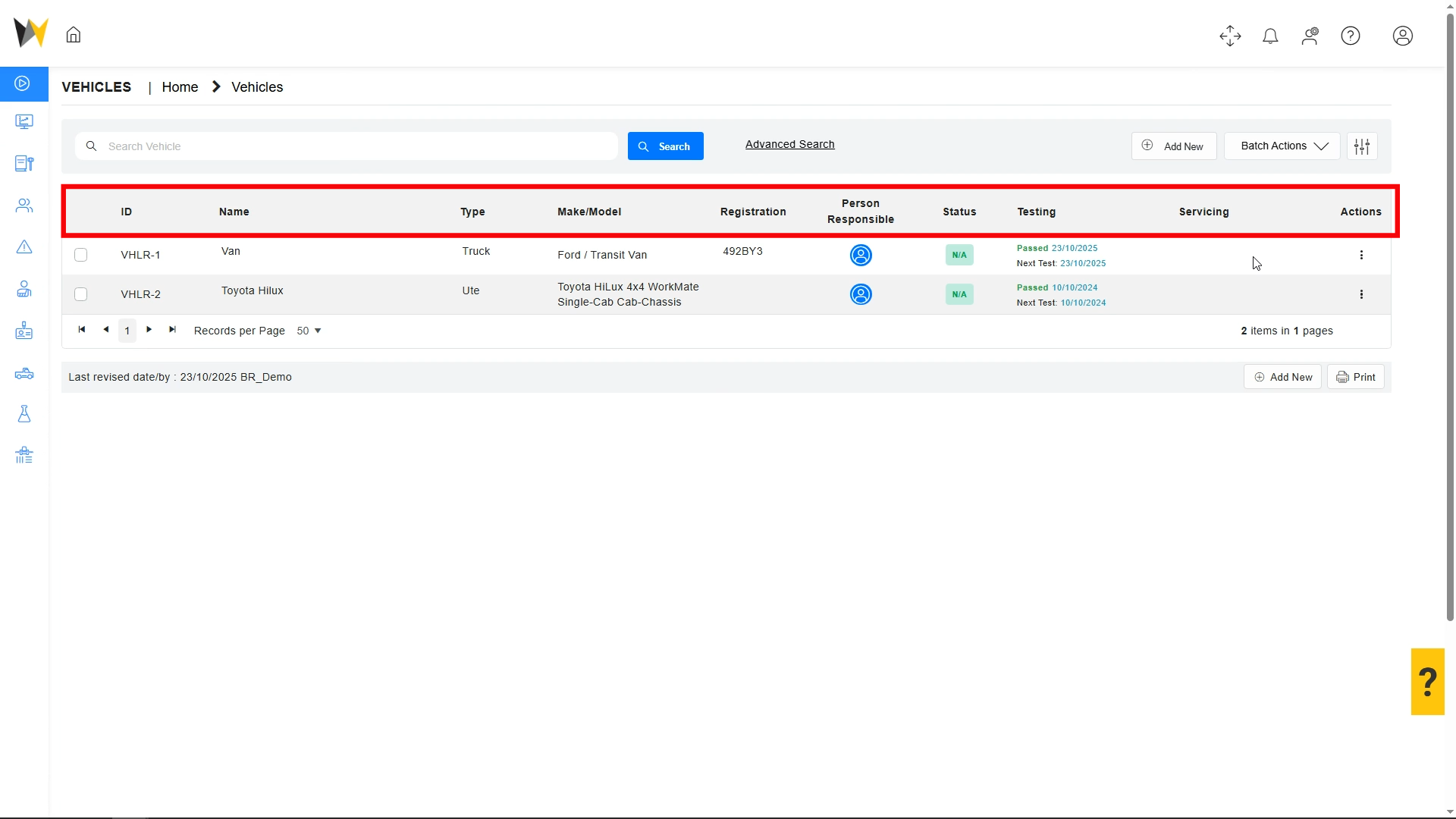
Step 1: Asset summaries, including ID, Name, Type, Model, Registration, Responsible Person, Status, and maintenance history are visible in the register.
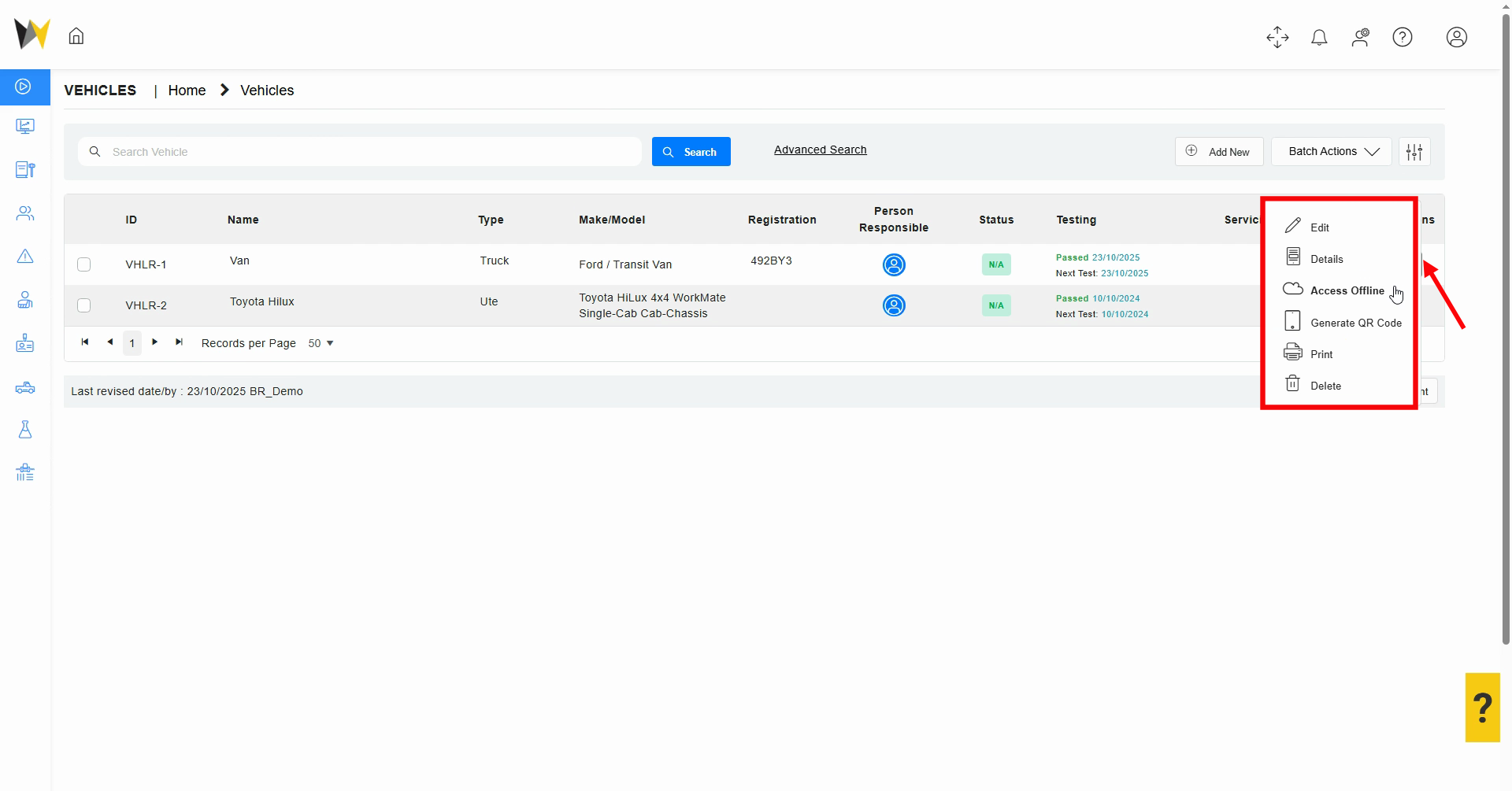
Step 2: Use the three dots menu for asset options: edit records, view summaries, enable offline access, generate QR codes, or print and delete entries.
Step 3: For batch processing, assets may be selected in the upper right to enable offline access or QR code generation for mobile workflows.

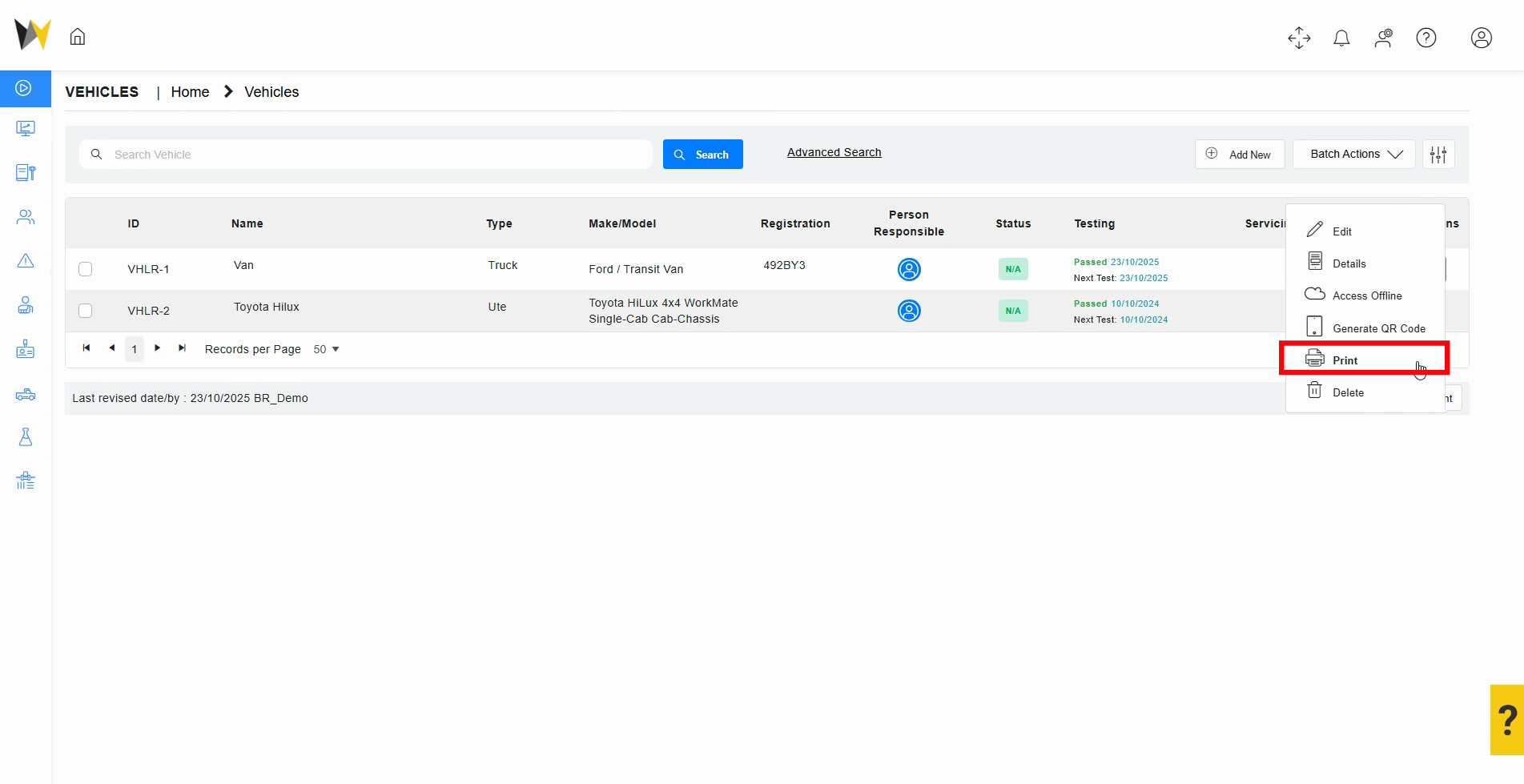
Step 4: Generate PDF reports for selected assets using the Print function.
Step 5: select Edit to update the asset details
step 6: Once the asset details are updated ensure to save the record
5. Expected Results
- Ability to access asset register
- Ability to Edit and update asset details
- How to print Asset details
6. Related Articles and Resources
7. Troubleshooting & FAQs
| Issue | Cause | Solution |
| Unable to view any asset records | insufficient permissions | Speak your system administrator to review your permission levels |
| Unable to edit asset records | insufficient permissions | Speak your system administrator to review your permission levels |
Related Articles
Assets: Bulk Importing Assets (Administrator)
1. Overview The Asset Safety Management module allows for users to record and report on inspections, condition and maintenance of all plant, machinery, vehicles and safety equipment. Each asset can be recorded in the relevant register, with its ...Asset Notifications
1. Overview This article explains how to manage notifications using the Notifications page in WHS Monitor. It covers how to monitor alert types, understand end-of-day summaries, and ensure important compliance milestones are not missed. Notifications ...